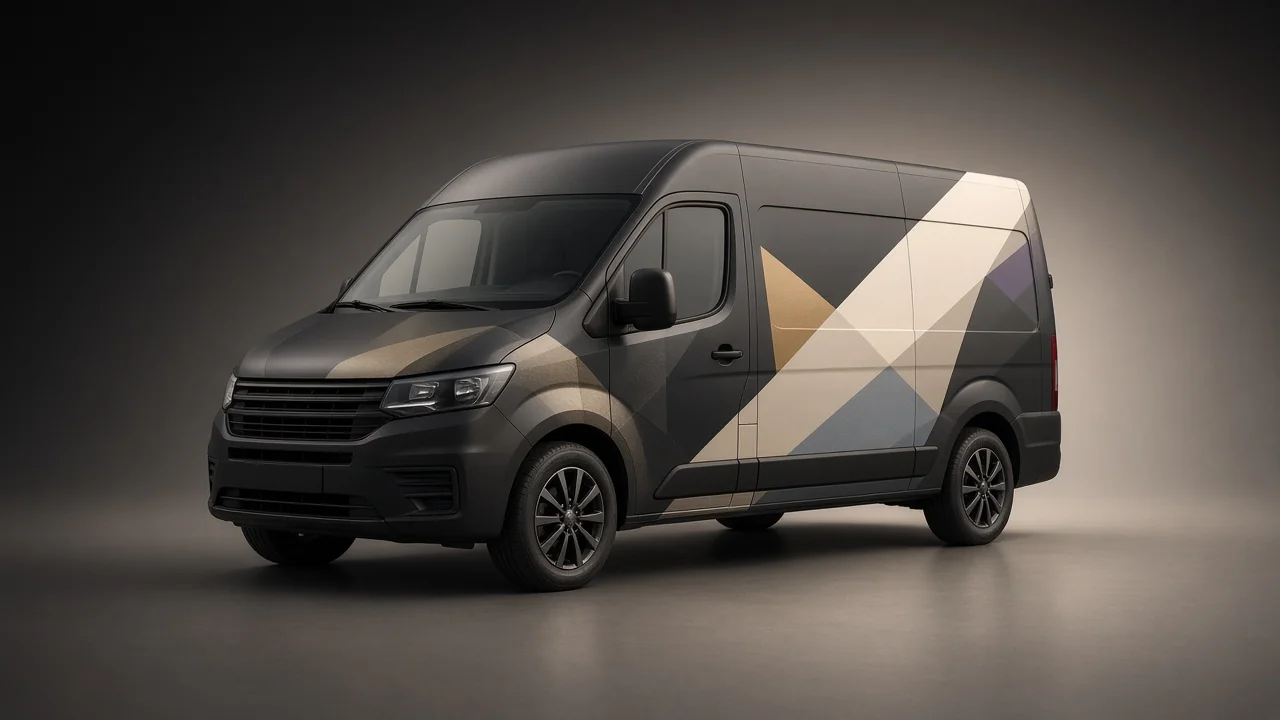
How to use AI for vehicle wraps that look good on the actual vehicle
Use AI to explore a visual direction, then build the wrap around the exact vehicle, a short readable message and the installer’s production requirements. Recreate important typography and graphics deliberately. Check every panel before approving a print file.
A vehicle is not a flat billboard. Doors open, handles interrupt artwork, body lines distort shapes and different trims can have different fittings. A dramatic render can hide all of that by quietly redesigning the van.
For an Edmonton business, the useful question is not whether AI can make an impressive truck picture. It is whether the finished graphics help a suitable customer identify the business and take a sensible next step, while remaining practical to install, maintain and replace. The same checks apply for vehicles working across Alberta and Canada.
Decide what the vehicle needs to communicate
Choose the main job before choosing the coverage. A work van may need a clear service identity. A delivery vehicle may reinforce recognition. A trailer used at events may support a more detailed message when it is parked.
Write a short hierarchy:
- The business name or recognisable mark.
- A plain-language service description when needed.
- One useful contact route.
Avoid turning the side of the vehicle into a catalogue. A long list of trades, accreditation badges, social handles and slogans can make every element too small. Keep detailed information on a relevant website page.
Use claims the business can maintain. A wrap can remain in service after an offer, phone number or operating area changes. Do not make a fixed graphic depend on a short-lived promise unless you have a replacement plan.
Keep the real identity consistent with the brand system. The vehicle can be bold without inventing a second logo that customers never see anywhere else.
Choose lettering, a partial wrap or a full wrap
Coverage should follow the message and vehicle, not a belief that more vinyl always means better marketing.
| Approach | Why it may fit | What to check |
|---|---|---|
| Cut lettering and simple graphics | A short, clear identity using the vehicle’s existing colour | Contrast, available flat areas and how the design reads across panels |
| Partial printed wrap | A strong visual area without covering the whole body | Where the artwork ends, whether boundaries look deliberate and how the base paint participates |
| Full printed wrap | A coordinated visual treatment across the usable body | Panel planning, complexity, surface condition, production and installation scope |
| Temporary or changeable graphics | A limited campaign where the selected product supports the application | Exact film suitability, removal conditions and how the underlying surface is protected |
Ask the graphics supplier to show you the difference between a printed design and cut lettering on the proposed vehicle. Compare both against the same message hierarchy; you do not need to approve a photographic full wrap simply to achieve a distinctive identity.
Ask the graphics supplier to recommend the film system for the actual application. A colour-change film, a printable film and a window graphic product do different jobs. Do not specify them interchangeably because they all appear under “wraps.”
Identify the exact vehicle before generating concepts
Record the make, model, year, wheelbase, roof height and body configuration. Include photographs of all sides, the rear and important details. Note aftermarket fittings, previous graphics, repairs and equipment.
A template is a useful reference, not permission to skip checking the vehicle. Confirm that the supplied template corresponds to the actual configuration and verify critical dimensions with the installer.
Mark:
- Door gaps, sliding-door tracks and opening directions.
- Handles, hinges and fuel or charging access.
- Wheel arches, recesses and body lines.
- Lamps, registration plates and mandatory markings.
- Cameras, sensors and other equipment that must not be obstructed.
- Windows and any visibility or legal restrictions requiring review.
A high-roof long-wheelbase van is not a stretched version of every other van. If the concept image changes the wheelbase or adds a window, it is no longer an honest preview of the vehicle being wrapped.
Use AI to find a direction, not to deliver the print file
Generate a few distinct ideas against the same message hierarchy. One might use restrained lettering and a large field of colour. Another could use a controlled illustration. A third might organise the composition around a deliberately placed partial wrap.
Tell the model to preserve the source vehicle, avoid fake text and leave clear areas for the real identity. Do not upload customer information or third-party artwork without the necessary permission.
A useful prompt could read:
Create a visual concept for the supplied commercial van, preserving its exact body, doors, windows, wheels and fittings. Use a restrained black, warm-white and supplied accent palette. Reserve a clear side-panel area for a real wordmark and one short service line, added later as typeset artwork. Keep important information away from handles, gaps, recesses, cameras and sensors. No invented business claims, registration text or certification marks. This is an exploration image, not a production template.
Keep the best direction, then rebuild the artwork properly. Adobe’s Text to Vector Graphic can support editable vector exploration, but editability does not make every generated path suitable for cutting, printing or trademark use.
Do not ask the image to prove colour accuracy. Use supplier-agreed references and proofs. Reflections, sunset light and glossy render effects can make the same artwork look radically different from a normal overcast-day view.
Design each view as its own composition
The side, rear and front do not need identical layouts. They need to communicate the same identity in different usable areas.
A side panel may support the largest name and service descriptor. The rear may offer a concise contact route where it is readable when stationary. A bonnet may have little useful space once the actual shape and visibility are considered.
Review the vehicle with doors closed and open. A sliding door can cover artwork on the rear quarter; opening two doors can split a word into a misleading fragment. Decide which views need to work in ordinary use rather than approving only one perfect side render.
Keep critical text clear of seams where practical. Ask the installer to review how graphic continuity, overlaps and panel production will be handled. The designer’s tidy line across a door gap may need a different construction in the actual film.
Avoid hiding safety or vehicle-function questions in the artwork approval. The owner, vehicle manufacturer and qualified installer need to resolve compatibility where relevant. A visual concept is not authority to cover equipment.
Treat windows and sensors as constraints
Do not use a generated rendering as evidence that a window graphic is permitted or safe. Product guidance and local vehicle requirements must be checked for the exact location and vehicle use.
Ask the installer to identify the current application bulletin for the selected film and confirm any restrictions on windows and emergency exits. Preserve driver visibility and obtain advice on the rules that apply to the actual vehicle. This guide does not establish which window applications are legal.
Give the installer a marked photograph of cameras, sensors, radar units and other equipment. Ask them to obtain the vehicle manufacturer’s and film supplier’s guidance before any artwork crosses those areas. Leave compatibility unresolved in the brief until a qualified reviewer confirms it; a pleasing render cannot answer that question.
The design rule is straightforward: leave these areas out of the creative assumption. Ask what must stay clear before drawing across it. Do not remove, relocate or disable equipment to make the artwork fit.
Make the contact route usable
A short readable website address often gives the viewer a clearer task than a cluster of icons. If a phone number is important to the business, make it deliberate and readable rather than squeezing it beneath every panel.
Put QR codes only where people can safely stop and scan, such as a parked event display. Do not build the campaign around scanning a moving vehicle or using a phone while driving. Keep a normal contact route available.
Link the vehicle to a page that explains the featured service. Someone who remembers the business name should find a consistent identity and a clear next step, not an unrelated landing page or an expired promotion.
If you use a dedicated URL for measurement, keep it under the business’s control. Test the page on a phone and maintain the redirect if the destination changes. A printed link cannot update itself when a third-party service disappears.
Inspect the surface before signing off the scope
A wrap should not be used to conceal unresolved body or paint problems. Have the installer inspect the vehicle and document condition before production and installation.
Ask the installer to record rust, paint repairs, scratches, dents and existing coatings during a pre-installation inspection. Request the selected product’s preparation requirements and written confirmation of any issues that must be resolved before work starts.
For an Alberta project, that means confirming the workshop conditions and vehicle preparation rather than assuming a cold vehicle can arrive and be wrapped immediately. Do not use one universal installation temperature or post-heating instruction for every film. Those details belong to the installer and exact product system.
Ask how existing graphics, adhesive residue, repainted panels and unpainted plastics affect the quote and warranty. Record exclusions in writing. A clean concept image cannot show whether the substrate will support the chosen material.
Approve artwork in a controlled sequence
Avoid one vague approval covering concept, wording, colour and installation. Use stages that make clear what is being agreed.
Concept approval: the visual direction and message hierarchy.
Artwork approval: correct business name, service wording, phone number, URL and all views on the verified template.
Production review: supplier confirmation of scale, resolution, colour handling, panels and selected film/laminate system.
Installation readiness: vehicle condition, appointment, preparation, responsibilities and downtime.
Ask the supplier which file formats, bleed and panel specifications it needs. Do not convert a small concept image into a giant PDF and call it high-resolution artwork. Keep editable type and vector sources under control, with fonts handled according to the agreed workflow.
Check contact information character by character and test every link before approval. It is easier to correct a phone number in a file than on a finished fleet.
Plan for downtime, care and replacement
Compare quotes against the same coverage and film system. Separate design, printing, laminate, preparation, removal, installation and any repair work. Ask about turnaround and when the vehicle must be unavailable.
Ask for a schedule tied to the actual preparation, coverage and installation scope. Agree on drop-off, inspection, installation and collection rather than assuming the vehicle will return to work the same day.
Request written care instructions for the actual system, including permitted cleaning products, wash methods and inspection intervals. Confirm those details with the installer rather than applying a colour-change-film care sheet indiscriminately to every printed graphic.
Keep the final artwork and panel information so damaged sections can be discussed without reconstructing the whole design. Ask how replacement panels will be matched and what changes in material or exposure may affect appearance. Plan eventual removal with the installer too; “removable” is not a promise that every old or repaired paint surface will be unaffected.
Measure without inventing impressions
Do not justify the project with a generic claim that every van generates a fixed number of daily views. Routes, parking, visibility, vehicle use and the audience vary. A vendor’s broad advertising claim is not a measured result for your business.
Start with observable outcomes:
- Relevant enquiries that mention the vehicle.
- Visits through a deliberately identified link.
- Customers recognising the crew or delivery vehicle on arrival.
- Consistency of identity across the fleet.
- The quality and condition of the graphics over time.
Ask new enquiries how they found the business, while accepting that people may remember more than one source. Record actual evidence rather than forcing every sale into a wrap-attribution calculation.
For a fleet, photograph the installed vehicles in neutral conditions and compare them against the approved identity. A consistent result across different bodies is a practical quality outcome, even before enough marketing data exists to judge enquiries.
A brief the designer and installer can share
Provide the exact vehicle details and photographs, verified template, approved brand assets, message hierarchy, intended coverage and actual contact route. Include where the vehicle is normally used, whether the graphics need to work at events and who approves the work.
Add the known constraints: equipment, visibility, condition, existing graphics and downtime. Ask the installer to identify unresolved product and application questions before artwork is finalised.
This shared brief prevents a common split: a designer making a beautiful image while the installer discovers the real vehicle problems after the file is approved.
Frequently asked questions
Can AI make a print-ready vehicle wrap?
It can help explore concepts and artwork. The finished file still needs controlled typography, sufficient quality, the exact vehicle template and the graphics supplier’s production review.
Is a full wrap better than lettering?
Not necessarily. Clear lettering or a deliberate partial wrap may communicate the message well. Compare the usable vehicle areas, identity, maintenance and budget rather than coverage alone.
Can I cover windows and sensors?
Do not assume so. Have the installer check the selected product, vehicle manufacturer guidance and applicable rules. Preserve driver visibility and equipment function; a concept image is not approval.
How long will my wrap last?
There is no honest universal lifespan. Film system, application, exposure, surface condition and care matter. Ask for the exact warranty and exclusions rather than treating a general number as a guarantee.
Give the vehicle one strong identity
A memorable vehicle graphic is clear enough to recognise and disciplined enough to build. AI can widen the exploration, but the finished result depends on the decisions made after the first attractive image.
Talk to Matt about a vehicle-graphics direction connected to your brand, signage and website. Bring the actual vehicle details so the concept starts with the right body, not an imaginary van.